







0 Record (s)
common-we-found-results-matching "0" in 0 ms
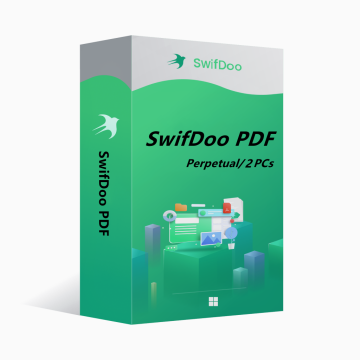
SwifDoo PDF Perpetual Plan 2PCs Perpetual CD Key Global
-14%
Nuovo Caldo

SwifDoo PDF Perpetual Plan 2PCs Perpetual CD Key Global

SwifDoo PDF is an all-in-one PDF editor. The program actually contains a lot of other PDF tools. Along with the editor feature, there are a variety of options to convert PDFs into more editable formats such as Word and PowerPoint files, and you can save space by combining individual PDF documents into one file.
Mostrare tutti i contenuti
136.49EUR 159.00EUR
piattaforma:
PC
Regione:
Global
Tag:
Antivirus & Security
Azione:
Disponibile
1-500
Come attivare?

Potrebbe piacerti anche

Di Più

SwifDoo PDF is an all-in-one PDF editor. The program actually contains a lot of other PDF tools. Along with the editor feature, there are a variety of options to convert PDFs into more editable formats such as Word and PowerPoint files, and you can save space by combining individual PDF documents into one file.

Key features of SwifDoo PDF include:

View and edit PDF documents.

Compress PDF documents.

Convert PDF files to other formats.

Split and merge multiple PDF files.

Sign and password protect PDF documents.

Add/Remove watermarks to PDF documents.

OCR


OS: Win 11, 10, 8, 7, and XP (32 & 64)

License Type: 1 license for 2 PCs


The activation code is the "Perpetual" license, which supports 2 PCs with no version upgrade protection. In such case, you need not to pay additional fee to upgrade the current version to each later version in the span of a lifetime.

To install SwifDoo PDF:

Run the setup program -> Accept License Agreement -> Select destination location -> Follow the installation guide -> Finish


Online Registration

After acquiring a SwifDoo PDF license key, visit and login the user center at https://www.swifdoo.com/usercenter and a Redeem-Code window pops up. At this time, you need to copy the activation code you received and paste it into the Redeem-Code box, then press Submit. By doing these, you have finished online registration.


Notes

For a successful registration, please make sure no blank is left in any location of the activation code.

Quanto tempo ci vuole per ricevere la chiave dopo l'acquisto? Dove trovarla?
La chiave verrà consegnata automaticamente in 3-5 minuti. Puoi trovarla nella sezione "I miei ordini acquistati".
Cosa fare se la chiave non si attiva?
Ci sono diversi motivi per cui l'attivazione può fallire. Il problema più comune è l'incompatibilità tra il sistema e la chiave acquistata. Verifica prima se la versione del tuo sistema (es. Windows Pro) soddisfa i requisiti. Se il problema persiste, contatta il nostro servizio clienti 24/7 e ti aiuteremo a sostituire la chiave rapidamente.
Come richiedere un rimborso o uno scambio?
Per richiedere un rimborso o uno scambio, contatta il nostro servizio clienti 24/7 e fornisci questi dati: • Numero d'ordine • Screenshot pertinenti (messaggio di errore di attivazione, dettagli acquisto ecc.) Gestiremo la tua richiesta il prima possibile.
Quanto tempo occorre per ricevere il rimborso?
I rimborsi per pagamenti PayPal vengono elaborati istantaneamente. Per pagamenti con carta o bonifico bancario, i fondi arrivano solitamente in 7-10 giorni lavorativi, in base alle tempistiche della banca e alle normative locali. Contatta il nostro supporto in qualsiasi momento per verificare lo stato del rimborso.
Informazioni su resi e scambi
Attiva la tua licenza entro 180 giorni dall'acquisto. Se si verificano problemi in questo periodo, puoi richiedere la sostituzione gratuita della chiave.